Project

General

Profile

Actions

Bug #4687

open
AK PP

Mobile App, New Leads tab count is reset and displays all leads after clicking Search without applying a filter

Bug #4687: Mobile App, New Leads tab count is reset and displays all leads after clicking Search without applying a filter

Added by ajithkumar K 4 days ago. Updated 2 days ago.

Status:
Resolved
Priority:
High
Assignee:
Start date:
Due date:
% Done:

0%

Estimated time:

Description

Module: Leads – APK

Short Description:
New Leads count shows all leads after clicking Search without applying any filter.

Steps to Reproduce:

Login to the APK.
Navigate to the Leads module.
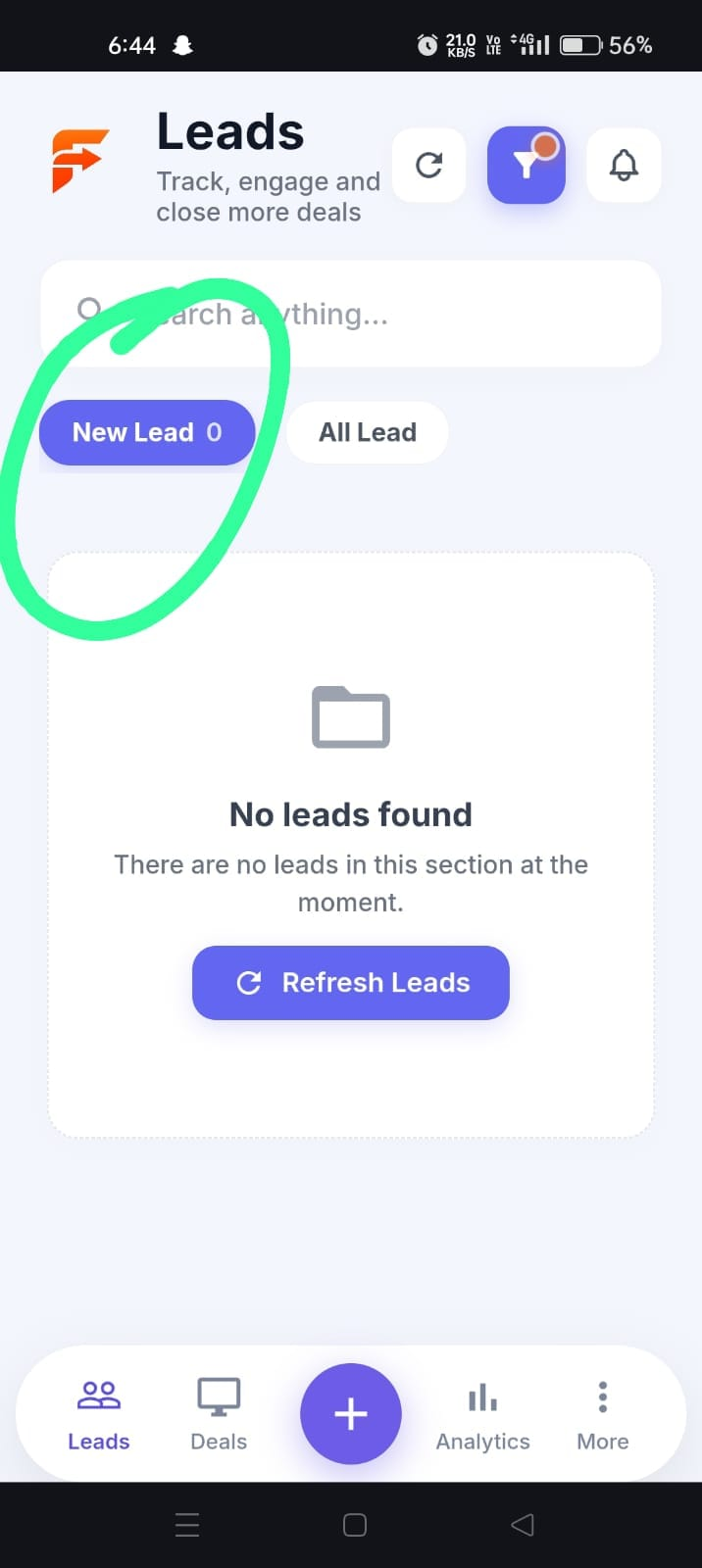
Open the New Leads tab.
Note the lead count displayed in the tab.
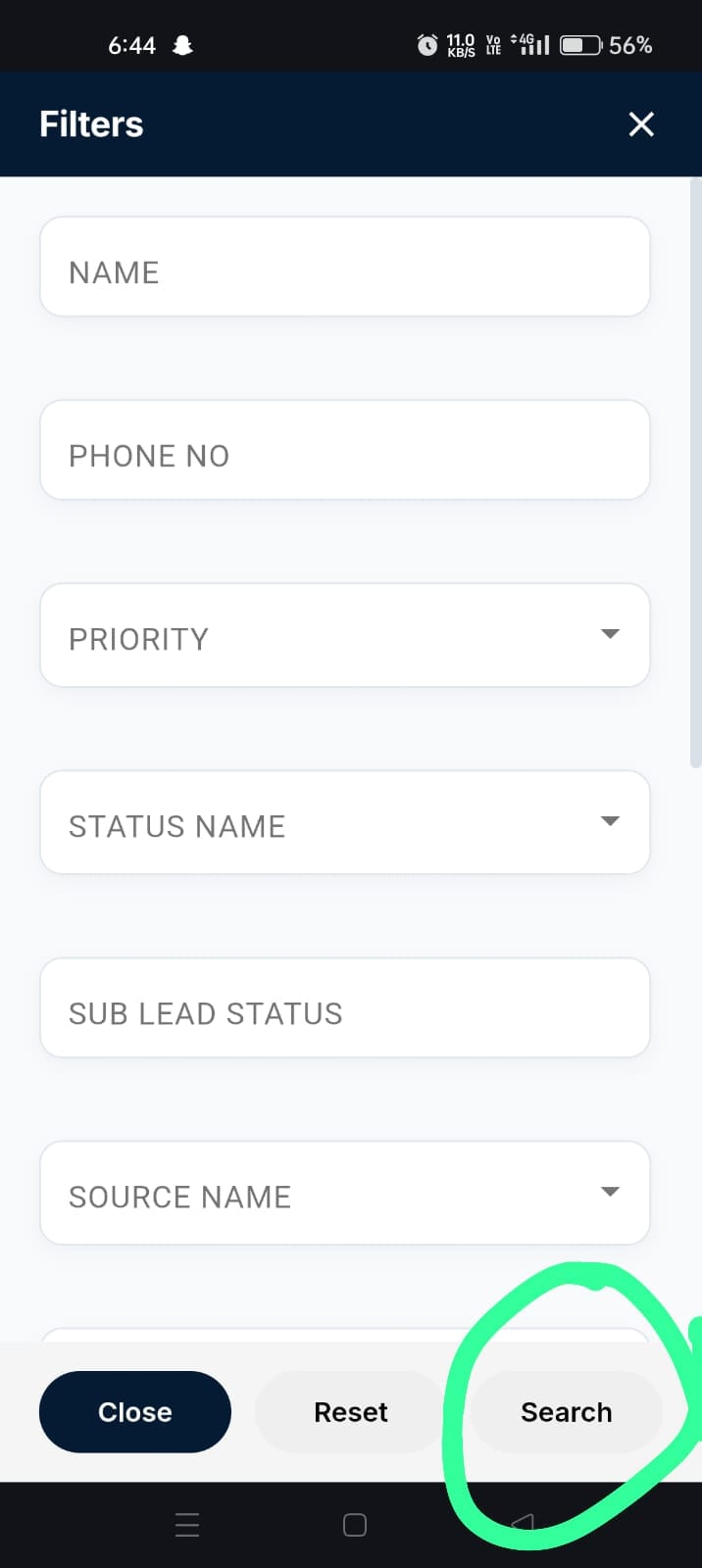
Open the Filter option.
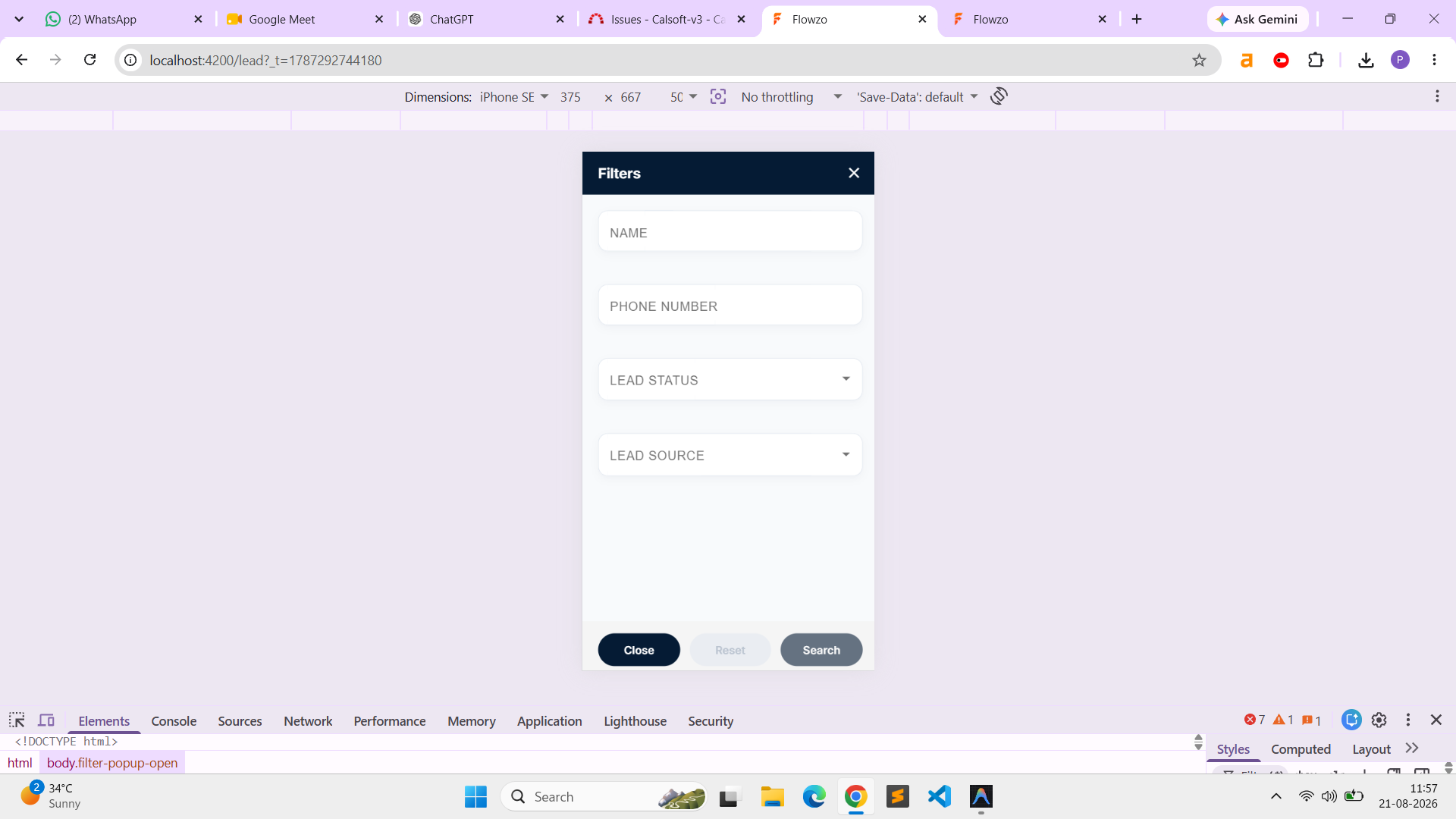
Without selecting or applying any filter, click the Search button.
It Navigate back to the New Leads tab.
Check the lead count again.
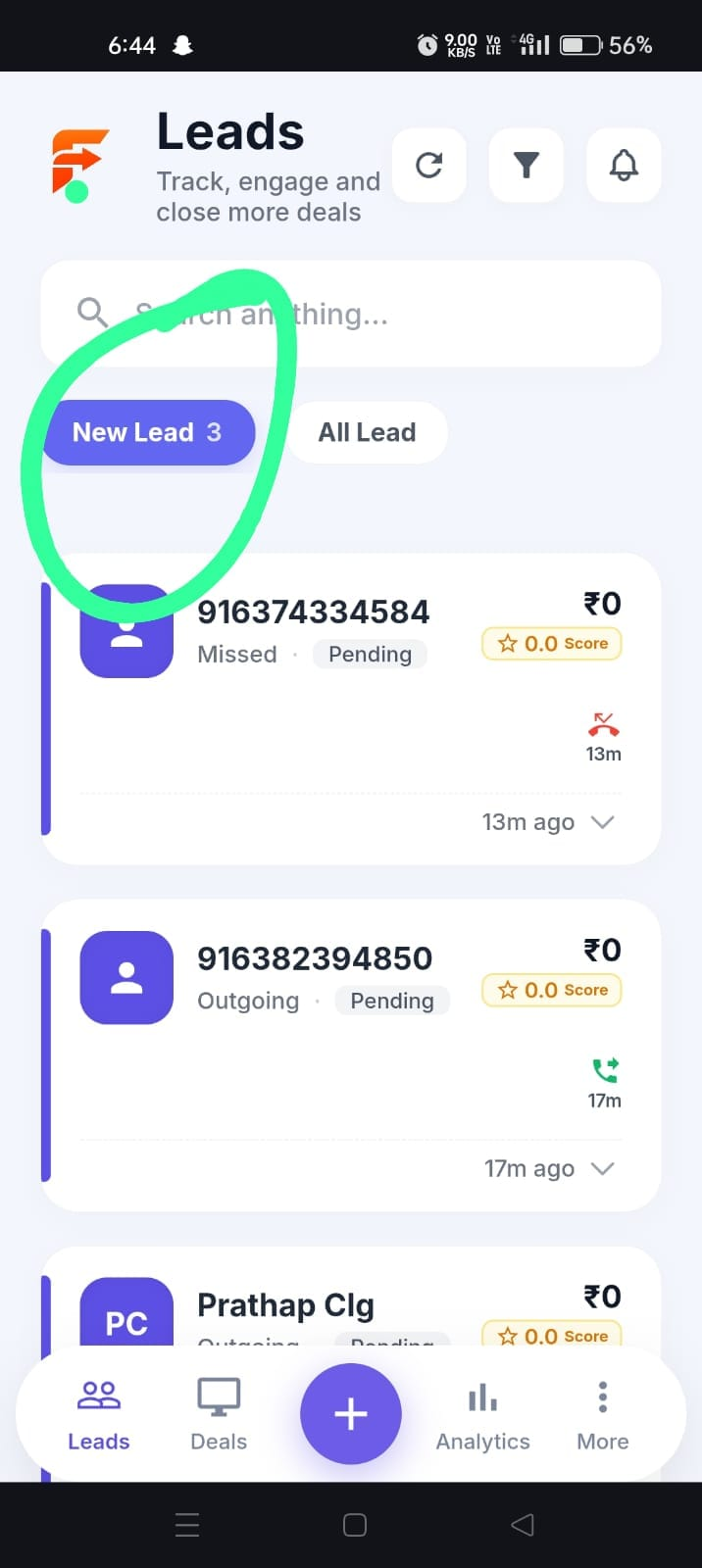
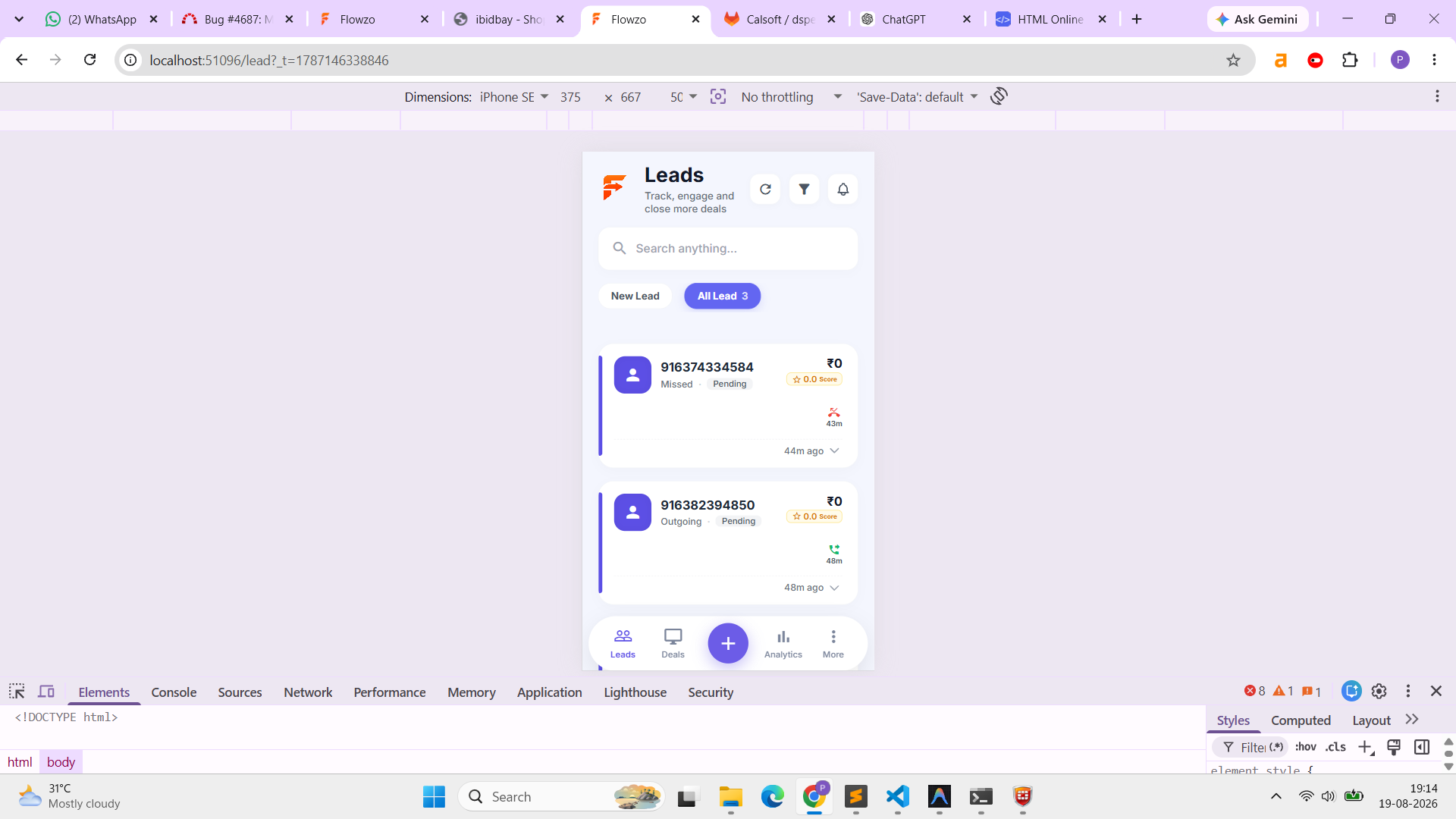
After clicking Search without applying any filter, the user is redirected to the New Leads tab, and the count displays all leads instead of the actual New Leads count.

Expected Result:
If no filter is selected, clicking Search should not change the existing tab/count. The New Leads tab should continue to display only the relevant New Leads count.

credentials:

Welcome@123
calldev


Files

clipboard-202608191850-arbhb.png (368 KB) clipboard-202608191850-arbhb.png new lead tab as '0" ajithkumar K, 08/19/2026 06:50 PM
clipboard-202608191851-pmqg1.png (202 KB) clipboard-202608191851-pmqg1.png filter page ajithkumar K, 08/19/2026 06:51 PM
clipboard-202608191851-hr3pn.png (439 KB) clipboard-202608191851-hr3pn.png new lead tab as "3" ajithkumar K, 08/19/2026 06:51 PM
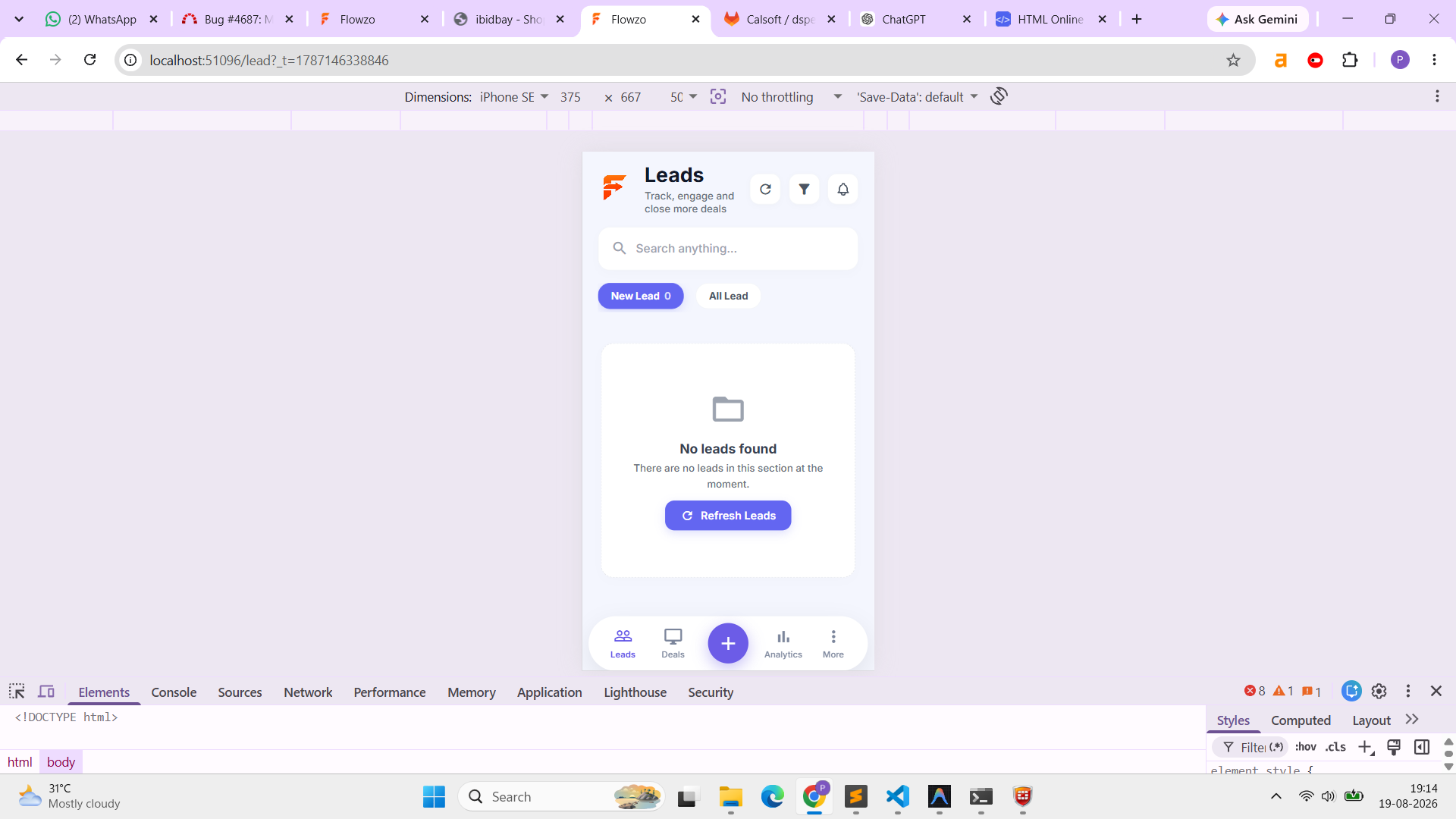
clipboard-202608191914-phgrn.png (187 KB) clipboard-202608191914-phgrn.png parkavan p, 08/19/2026 07:14 PM
clipboard-202608191914-rzekp.png (197 KB) clipboard-202608191914-rzekp.png parkavan p, 08/19/2026 07:14 PM
clipboard-202608211157-3z4uh.png (151 KB) clipboard-202608211157-3z4uh.png parkavan p, 08/21/2026 11:57 AM
Actions

Also available in: PDF Atom