Actions
Bug #4625
open
RR
NV
Mobile APP: User Wise LeadSource Report – Total Column Displayed Horizontally Instead of Vertically after downloading the excel
Bug #4625:
Mobile APP: User Wise LeadSource Report – Total Column Displayed Horizontally Instead of Vertically after downloading the excel
Start date:
Due date:
% Done:
0%
Estimated time:
Description
Module Reports
Sub-Module User Wise LeadSource Report
Platform Mobile APP
Description
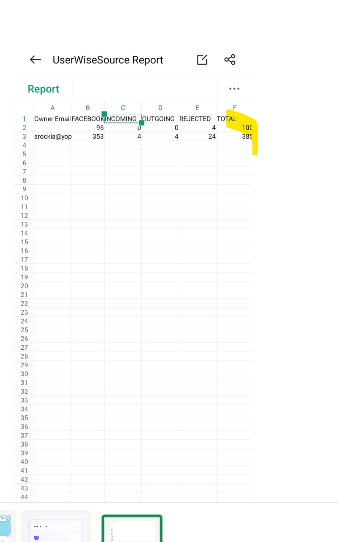
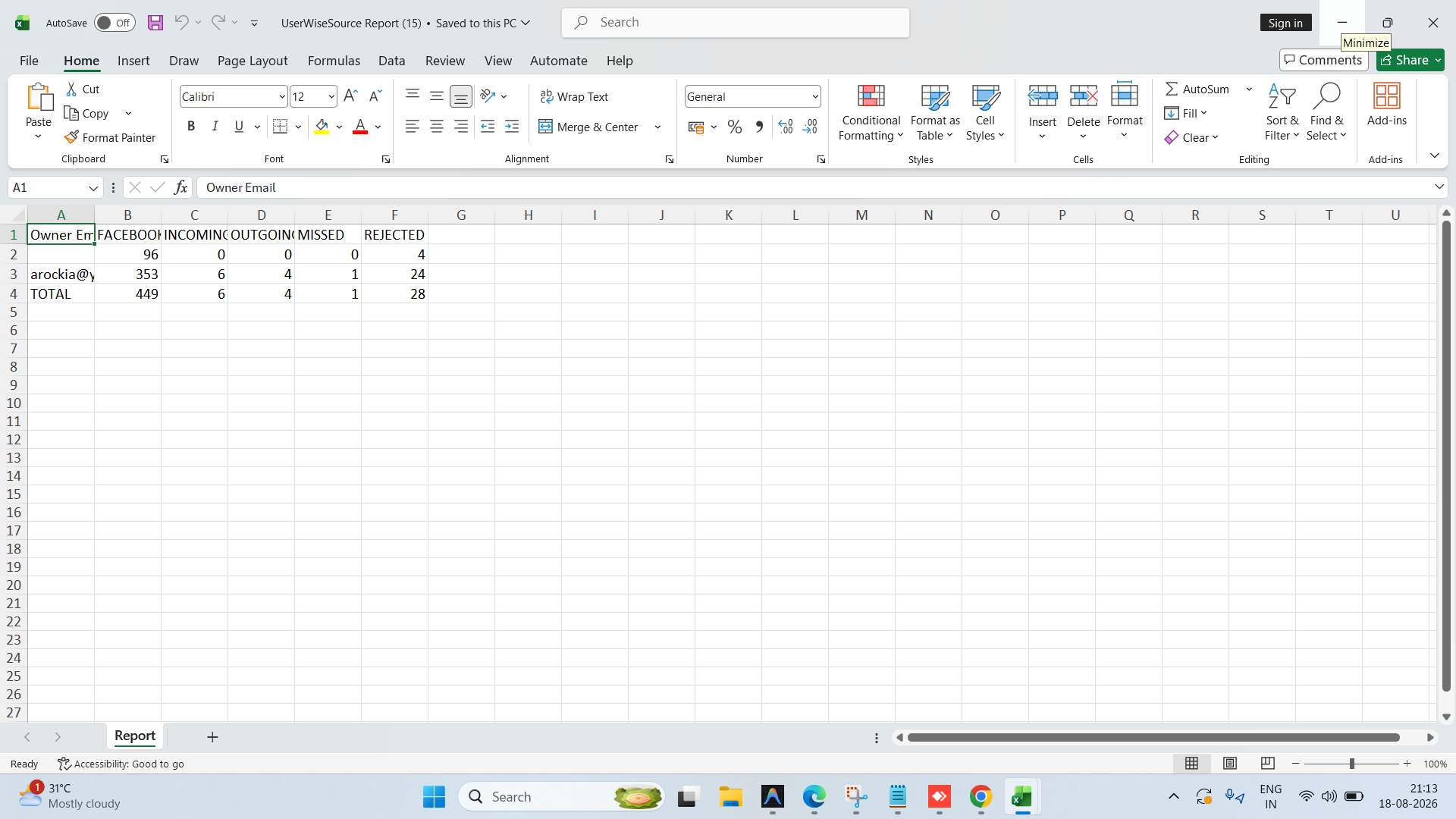
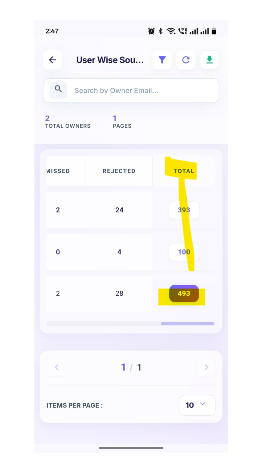
In the User Wise LeadSource Report, the Total column is displayed on the right side of the report along with the lead source columns. As per the expected report layout, the Total should be displayed below the lead source values as a separate total row.
Steps to Reproduce
- Login to the Mobile APP.
- Navigate to Reports.
- Open User Wise LeadSource Report.
- Generate the report with available lead source data.
- Observe the placement of the Total value/column.
Actual Result The Total is displayed as a column on the right side of the report.
Expected Result The Total should be displayed below the respective lead source data as a Total row, instead of being displayed as a column on the right side.
https://dev.flowzo.ai/UserWiseLeadSourceReport
arockia@yopmail.com
Welcome@123
Files
Actions