Actions
Bug #4435
open
AK
SD
Stock validation is not displayed when entering quantity greater than available stock
Bug #4435:
Stock validation is not displayed when entering quantity greater than available stock
Start date:
Due date:
% Done:
0%
Estimated time:
Description
Description:
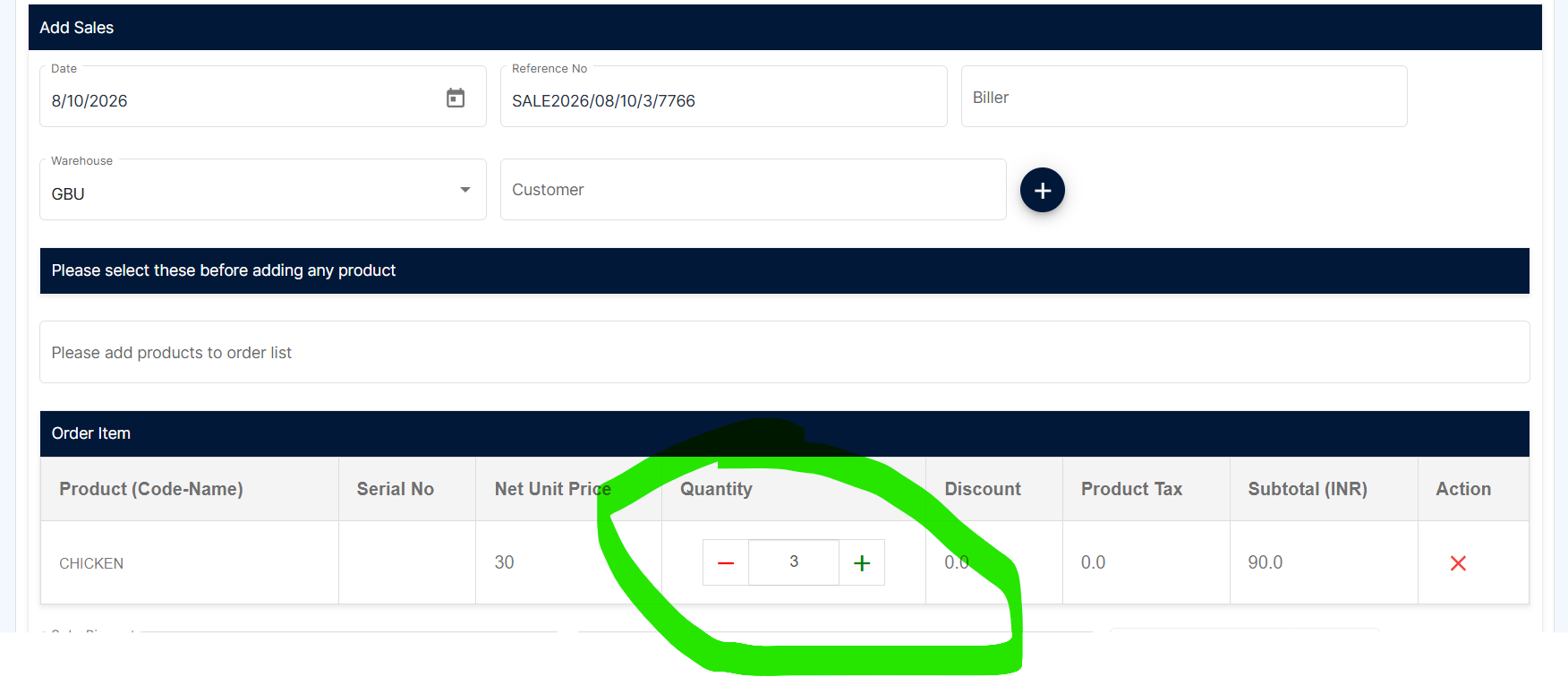
In the Sales module, when the user enters a quantity greater than the available stock for a product, the system does not display any appropriate stock validation message.
Steps to Reproduce:
Navigate to Sales → Add Sales.
Select a product with limited available stock.
Enter a quantity greater than the available stock.
Observe the quantity field and validation message.
Try to save the sale.
The system allows the user to enter a quantity greater than the available stock without displaying any stock validation.
Files
DD Updated by dharani dharani about 21 hours ago
- Status changed from New to Resolved
Actions