Actions
Bug #4055
open
BV
PP
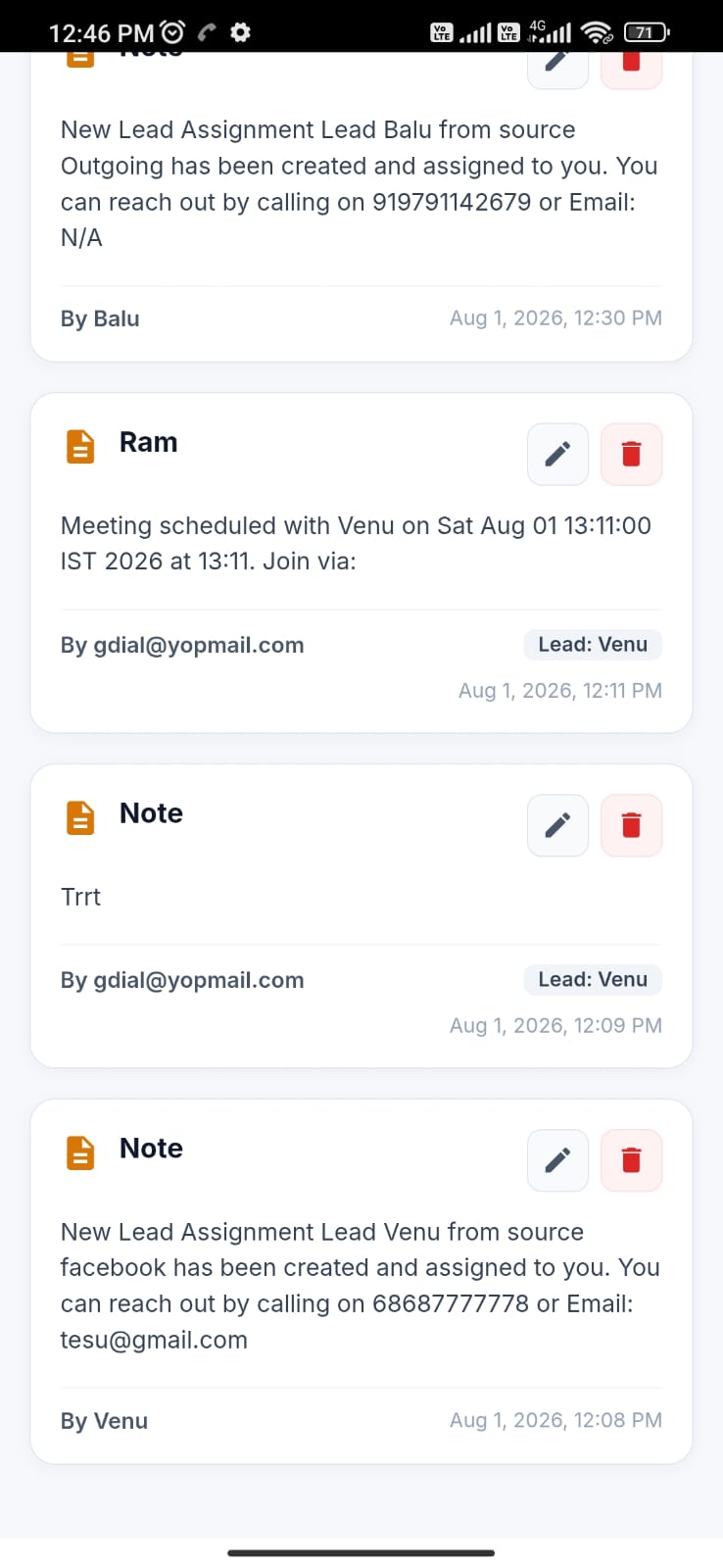
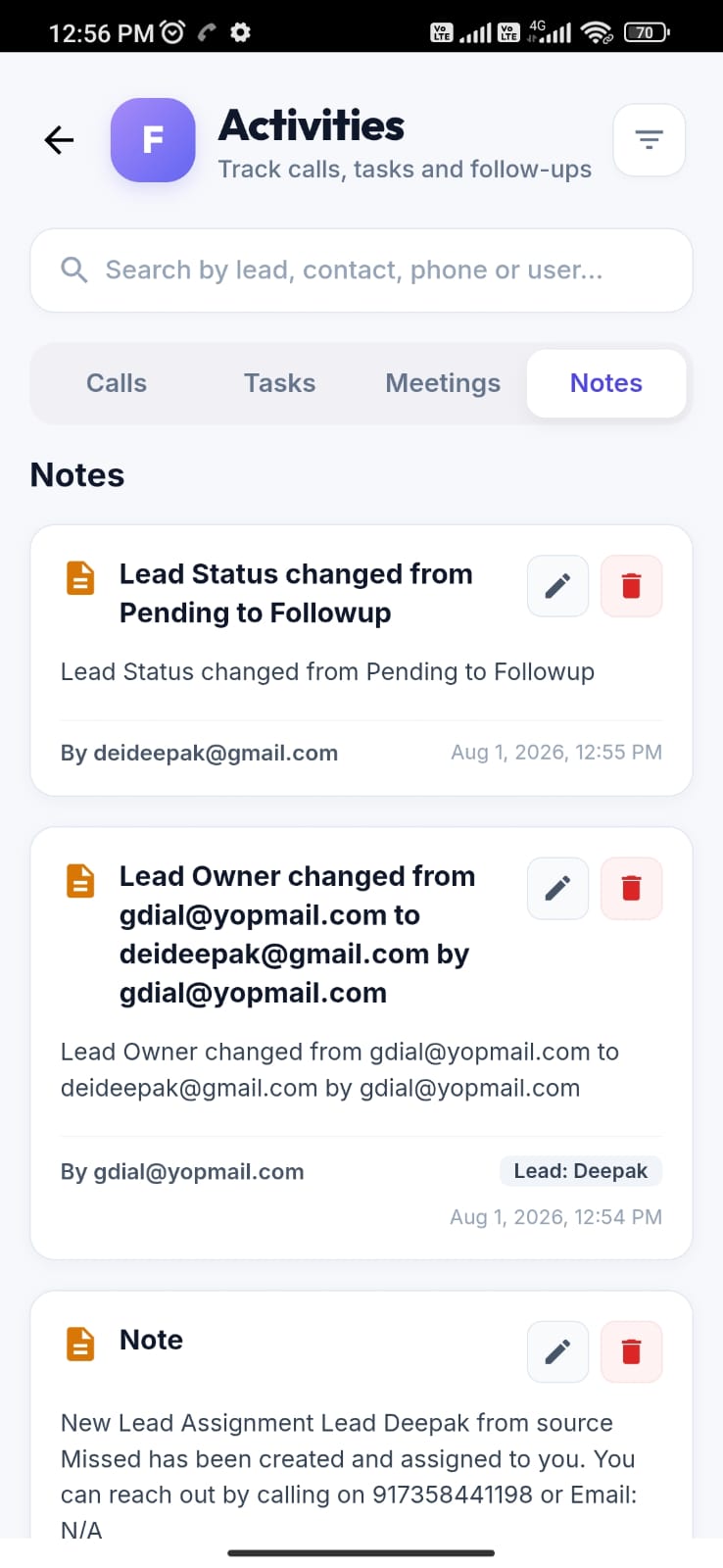
The Notes tab displays all lead activities instead of showing only notes.
Bug #4055:
The Notes tab displays all lead activities instead of showing only notes.
Start date:
Due date:
% Done:
0%
Estimated time:
Description
Steps to Reproduce:
Login to the CRM.
Open any Lead.
Add a note to the lead.
Perform other activities such as:
Assign the lead to a new owner.
Schedule a meeting.
Change the lead owner.
Update the lead status.
Navigate to the Notes tab.
Actual Result:
The Notes tab displays all lead activities, including:
New Lead Assigned
Meeting Scheduled
Lead Owner Changed
Lead Status Changed
Other activity logs
Expected Result:
The Notes tab should display only user-created notes. Other system-generated activities (lead assignment, meeting scheduling, owner changes, status changes, etc.) should be displayed in the Activity or Timeline section, not in the Notes tab.
bolt@yopmail.com
Welcome@123
Files
Actions