Bug #4677
openDeals Probability Report – Downloaded Excel Displays Incorrect Column Names (APK)
0%
Description
Short Description:
In Reports → Deals Probability Report, the downloaded Excel report displays different column names from those shown in the application.
Steps to Reproduce:
Login to the application using the admin credentials.
Navigate to Reports → Deals Probability Report.
Verify the column names displayed in the application.
Download the report as an Excel file.
Open the downloaded Excel file.
Compare the Excel column names with the application report.
Actual Result:
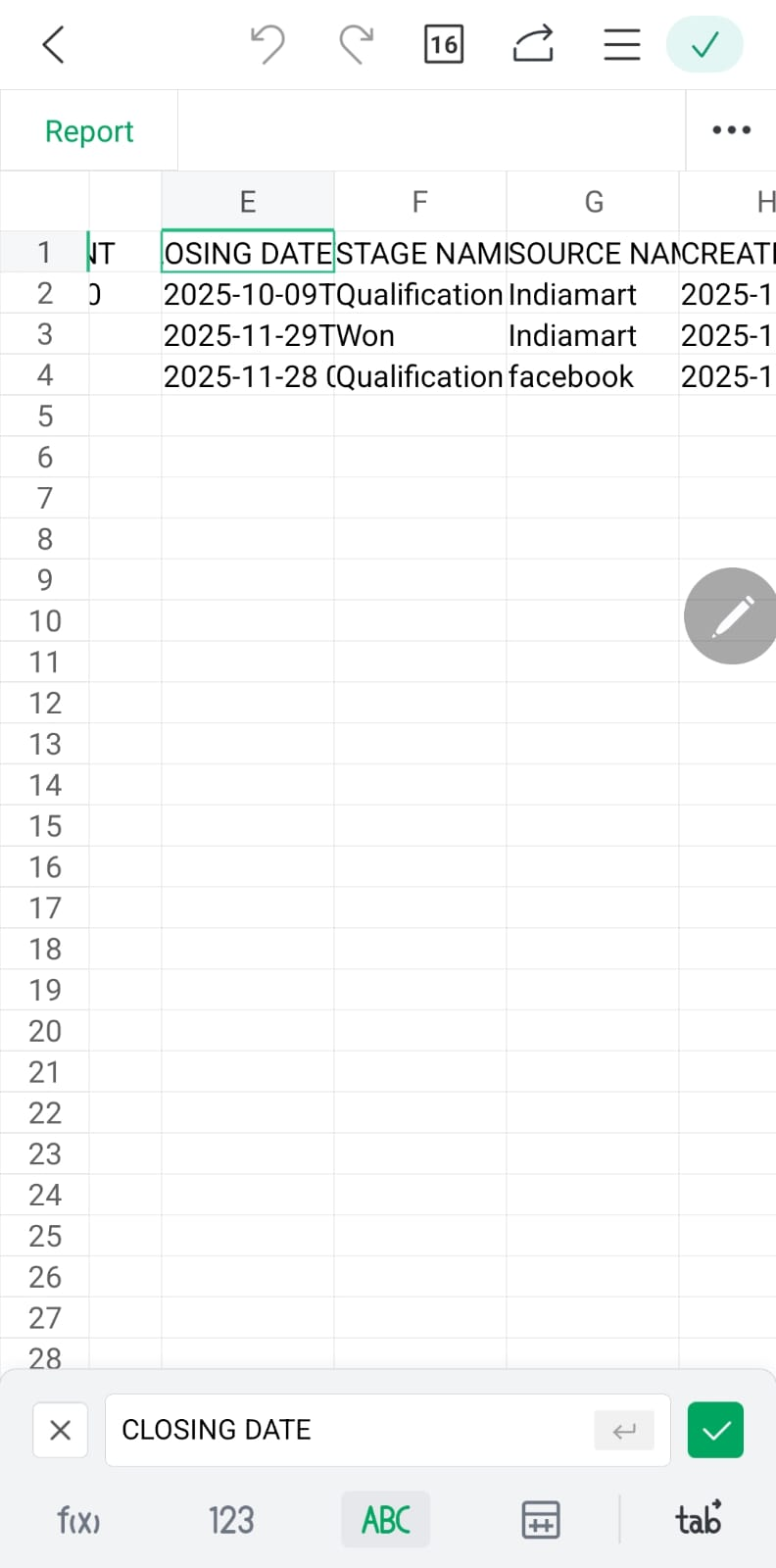
The downloaded Excel report displays different column names:
Closing Date
Stage Name
Source Name
Created Date
Updated Date
Expected Result:
The downloaded Excel report should use the same column names and terminology displayed in the application:
Closing
Stage
Source
Created
Updated
Admin User:admin@flowzo.ai
Password:Admin@123
Company Name:cai
Files
PP Updated by parkavan p 2 days ago
- Assignee changed from parkavan p to nandhini v
NV Updated by nandhini v 2 days ago
- Status changed from New to In Progress
NV Updated by nandhini v 2 days ago
- Status changed from In Progress to Resolved