Actions
Bug #3805
closed
AB
BE
Owner name not displayed in Follow Activity Count Report for sales user
Bug #3805:
Owner name not displayed in Follow Activity Count Report for sales user
Description
Preconditions:
User logged in as Sales User
Lead is created successfully
Steps to Reproduce:
Login as Sales User
Create a new Lead
Ensure lead is added successfully
Go to Reports → Follow-up Activity Count Report
Check the Owner column
Expected Result:
System should display the correct Sales User name/email in Owner column
Actual Result:
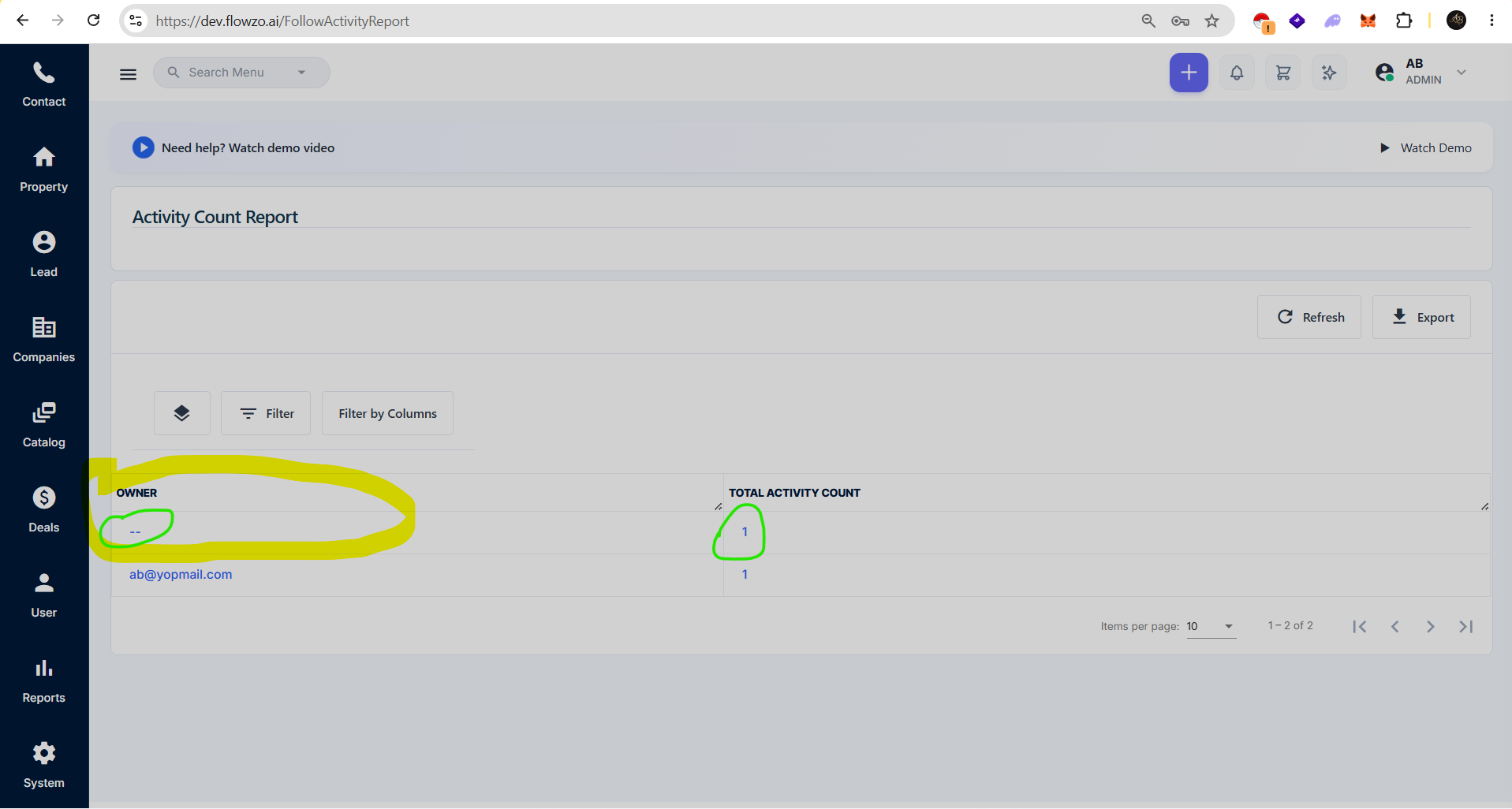
Owner column shows empty / “--”
But Follow activity count is displayed correctly
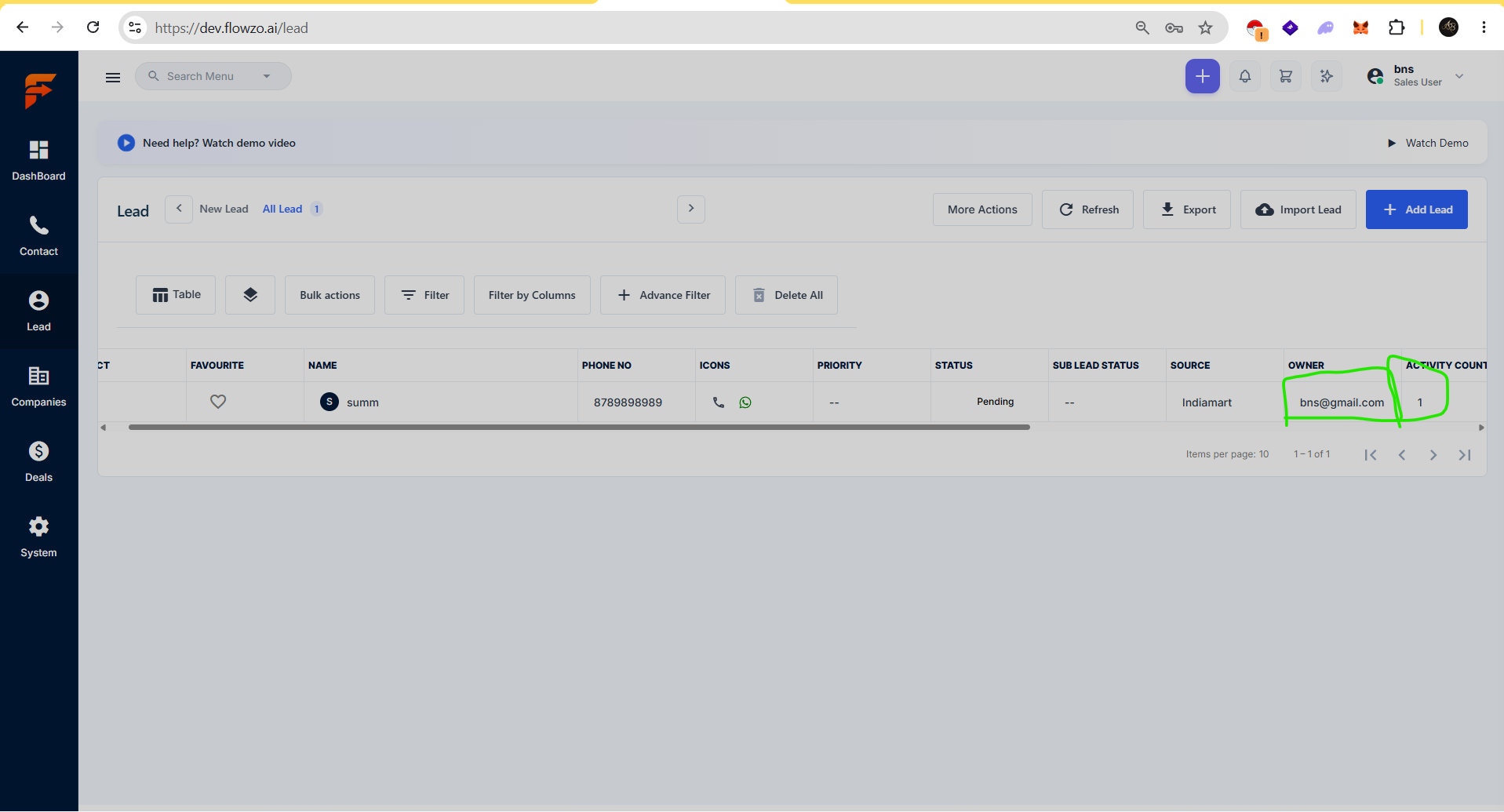
In Lead list, owner name is shown correctly
Data mismatch between Lead module and Report module. Owner mapping not reflecting in Follow Activity Count
Files
AB Updated by ashokbalaji B 27 days ago
Admin User
Username: ab@yopmail.com
password:Welcome@123
Asv
Sales user
Username: bns@gmail.com
password: Welcome@123
Asv
AB Updated by ashokbalaji B 26 days ago
- Status changed from Resolved to Closed
RR Updated by reeta reeta 26 days ago
- Status changed from Closed to Re-open
AB Updated by ashokbalaji B 10 days ago
- Status changed from Resolved to Closed
issues fixed
Actions